Activities: How to create a Heat Treatment
This article explains how to create and start a Heat Treatment Activity in the Internet-of-Crops® platform using Centaur® sensor data and analytics.
1. Navigate to the Activities Tab
-
Log in to the Internet-of-Crops® platform.
-
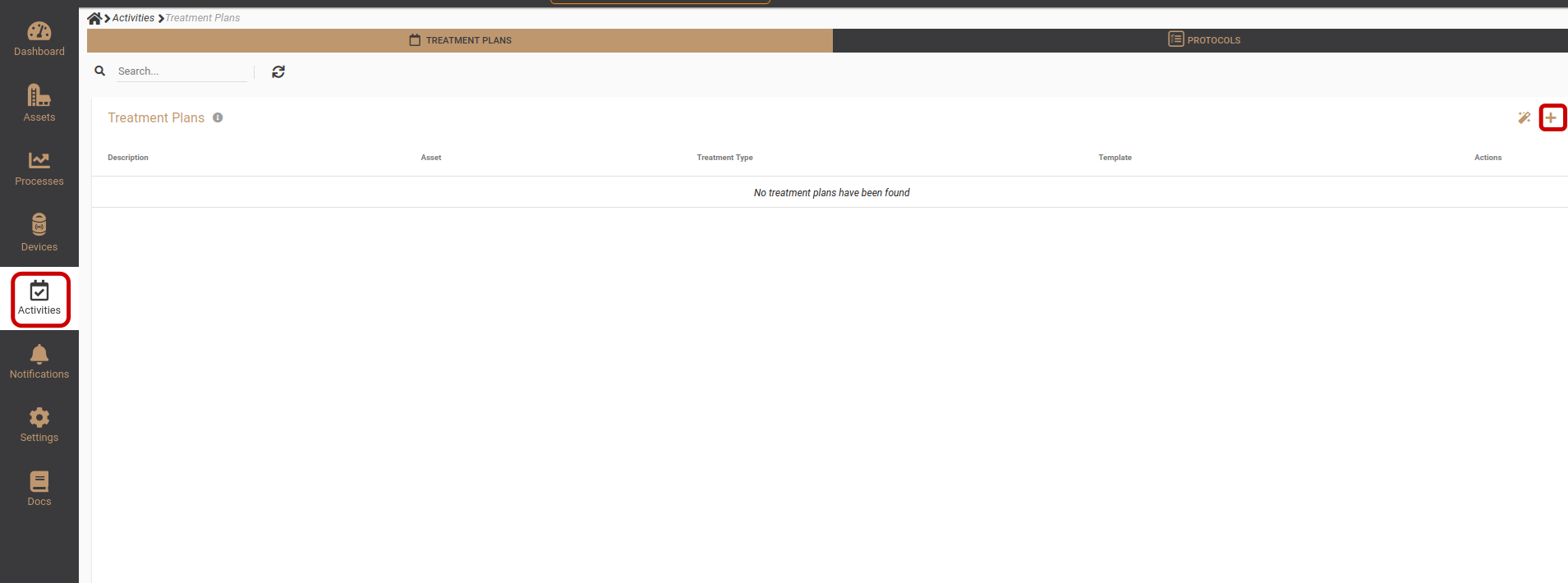
Select Activities from the main navigation.
-
Click the “+” (Add) button to create a new Activity.
2. Select Heat Treatment as the Treatment Type
-
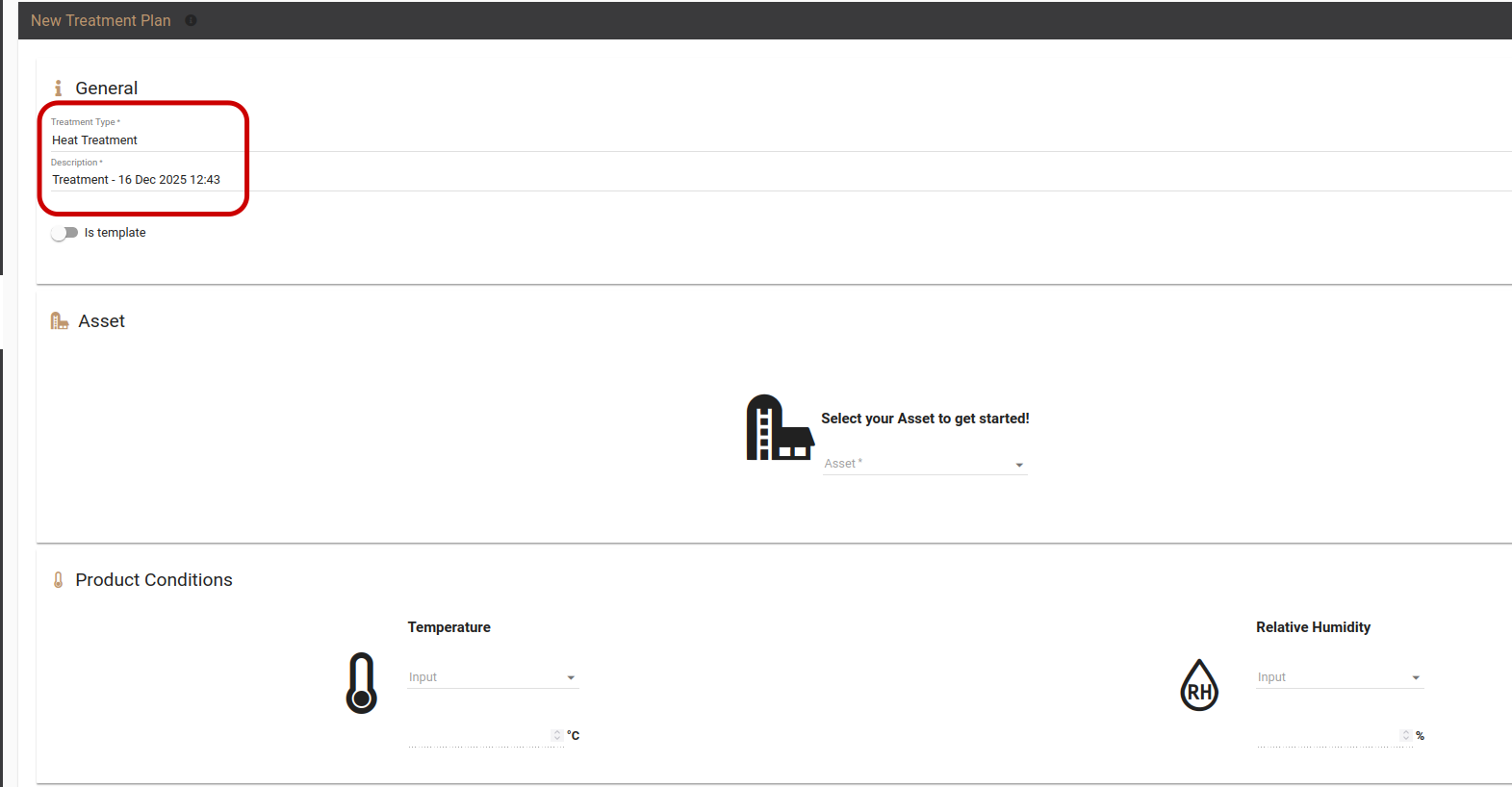
In the General section of the Activity setup screen:
-
Locate Treatment Type.
-
Select Heat Treatment from the list.
3. Select the Heat-Treated Asset and Temperature Source
-
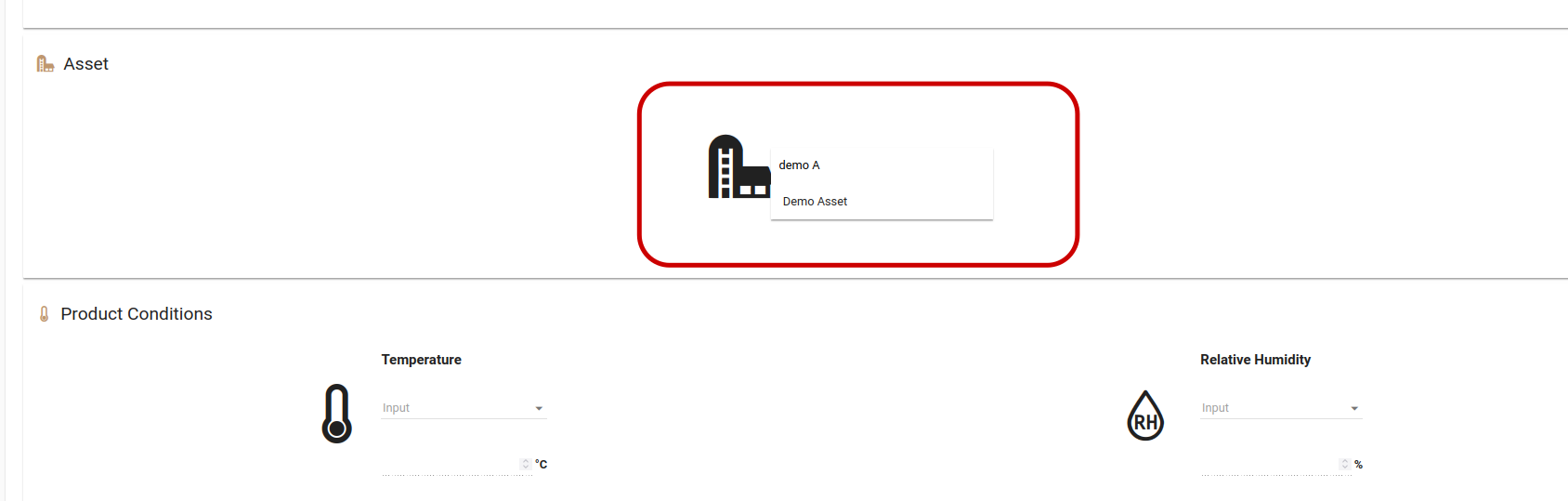
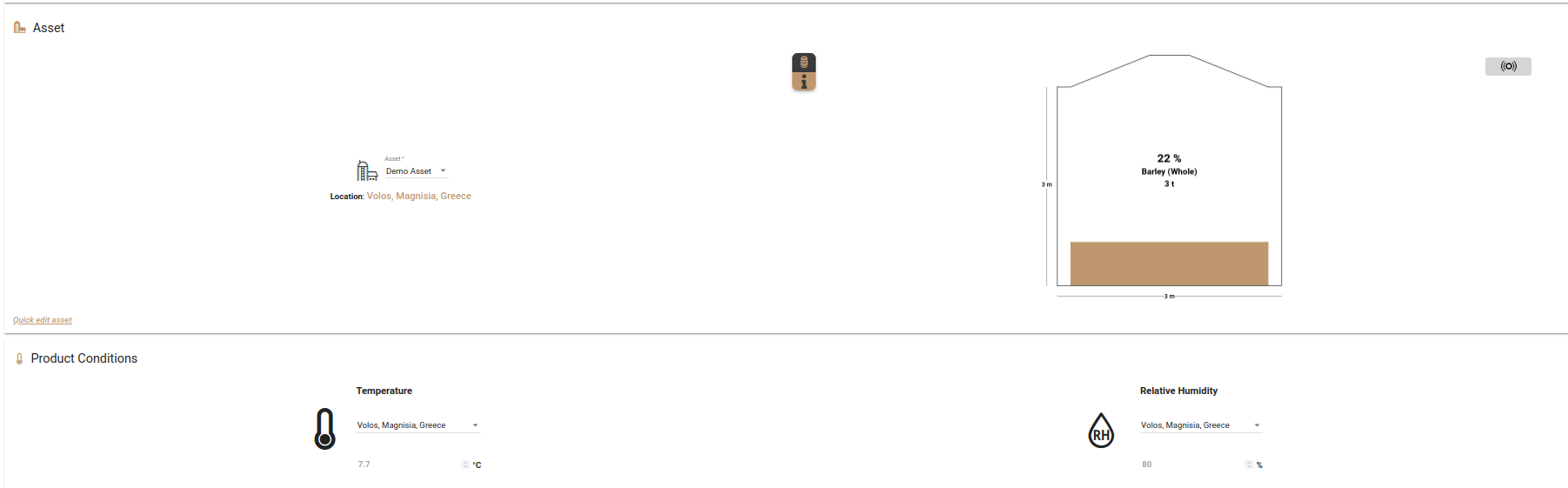
Choose the Asset that will undergo heat treatment.
-
Select the temperature sensor installed inside the asset.
-
This sensor will be used as the load temperature reference.
-
Ensure the selected sensor is actively communicating before proceeding.
4. Configure Pest and Treatment Parameters
-
Review the pre-selected pests, based on the stored product type.
-
Adjust pest selection if required.
-
Select the appropriate Heat Treatment Method.
-
Click Save to save the treatment configuration.

The plan can be viewed at the Activities page
