How to use Automatic Aeration Mode (Asset Aeration Widget)
In this article, we’ll go over how to use the Automatic Aeration Mode through the Asset Aeration Widget on the Centaur platform.
This mode automatically determines the best aeration windows based on live weather and product data, helping you maintain ideal grain conditions without manual intervention.
Use this mode when:
- You want the system to automatically decide when to run aeration fans.
- You’re focused on long-term grain conditioning or drying.
- You prefer to avoid manual scheduling and rely on weather-aware recommendations.
Before using Automatic Mode
Make sure that:
- Any active Rules Mode is turned OFF, since custom logic can interfere with automated scheduling.
- Manual operation is inactive, as the platform will take control of fan activation automatically.
How to access the Asset Aeration Widget
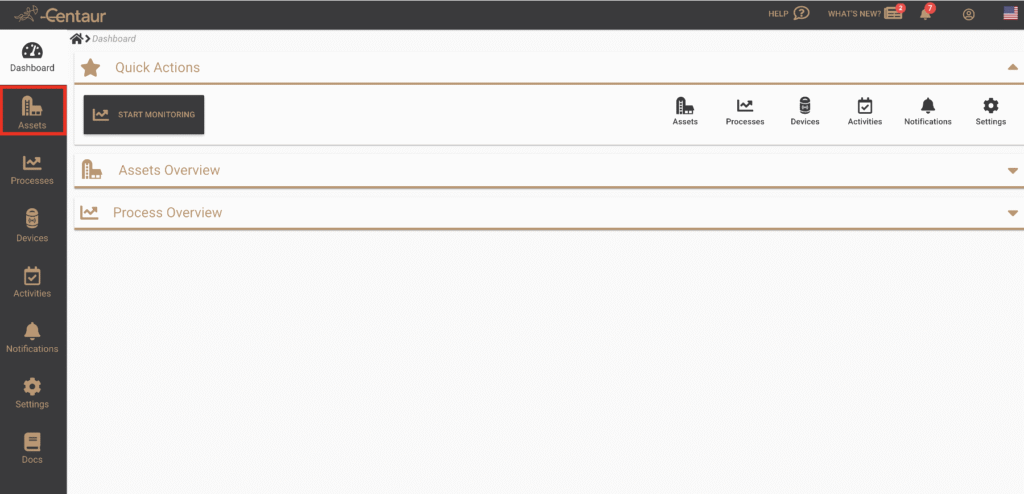
After logging in to your account, navigate to the Assets view from the main menu on the left
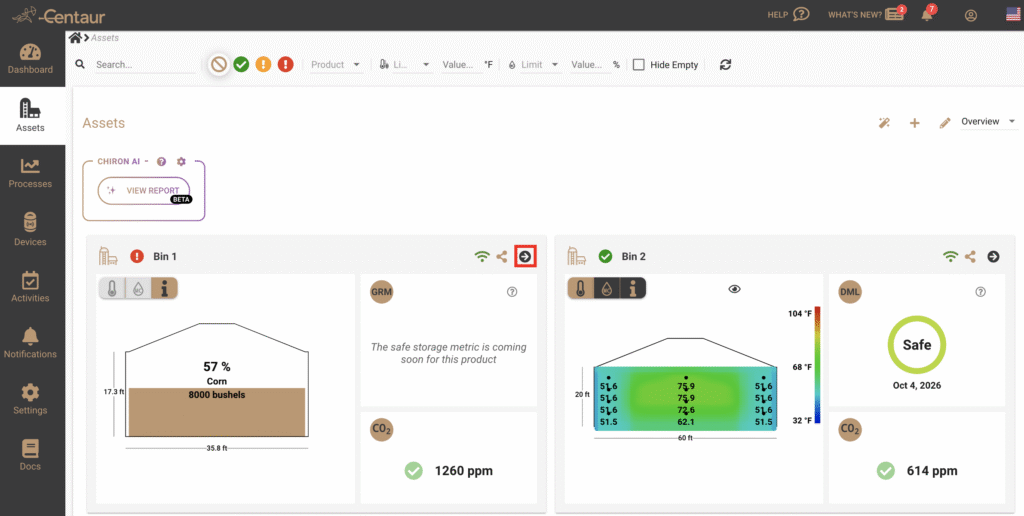
Select the asset (e.g. Bin, Silo, or Warehouse) you wish to review.
The Aeration Widget will appear in the asset overview panel
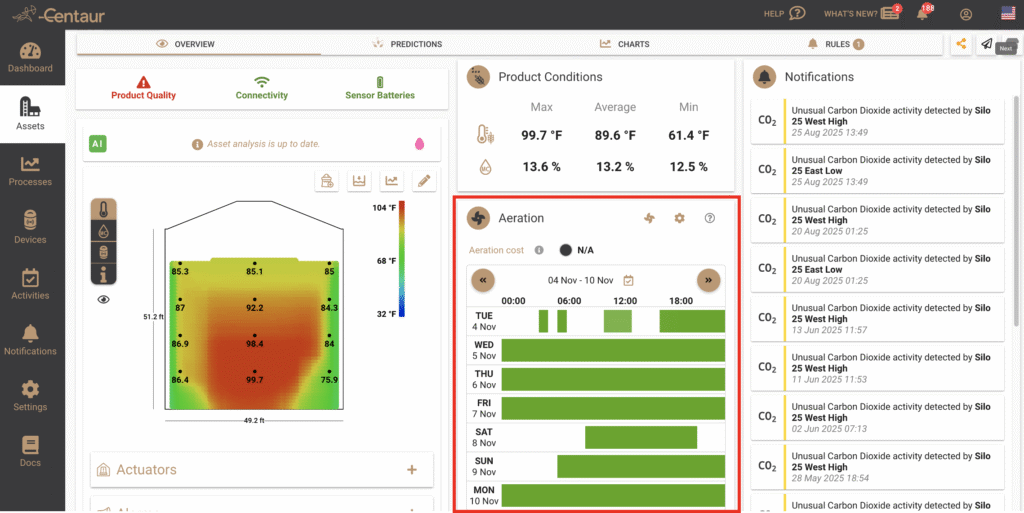
The widget provides a live visualization of the aeration plan, showing system recommendations and fan activity in real time.
Understanding the Aeration Chart
- Green bars represent recommended aeration windows — the ideal times when temperature and humidity conditions are suitable.
- Blue lines indicate automatic fan activations performed by the system.
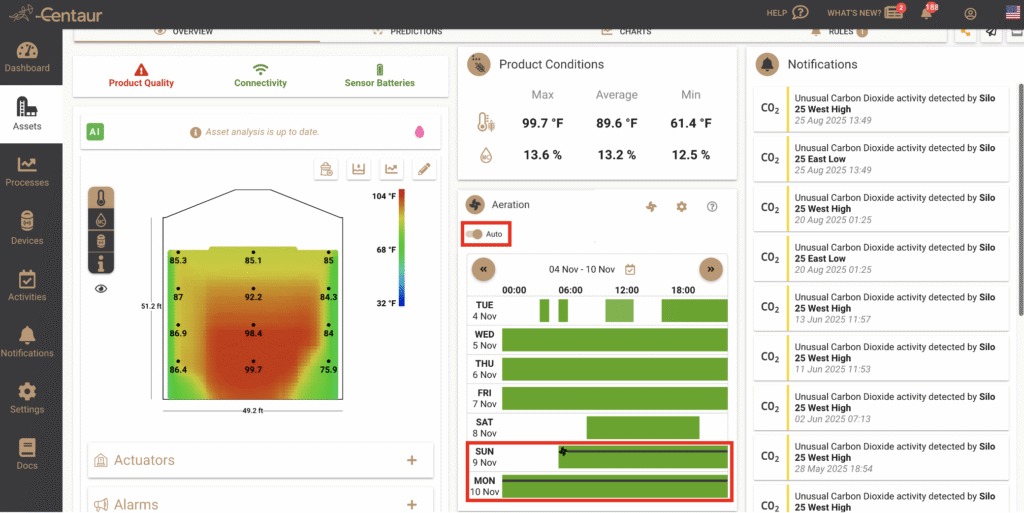
- Black lines correspond to any manual activations recorded for that asset.
- Gray background areas represent inactive or unsuitable aeration periods.
By default, the system updates these recommendations automatically as weather and product data evolve.
How to enable automatic aeration
- Locate the Aeration Auto toggle and switch it to ON.
- The platform will now manage the fan schedule based on current and forecasted conditions.
You can monitor fan performance, temperature, and humidity directly in the widget, without needing to adjust settings manually.
Good to know
- Automatic Mode optimizes for steady, weather-aware grain conditioning.
- It’s designed for gradual, safe cooling or drying rather than rapid changes.
- You can temporarily override it using Manual Mode, but remember to turn it back ON afterward if you want the automation to continue.
For more information on how Automatic Mode compares to other available options, refer to our FAQ titled “What’s the difference between Automatic, Rules, and Manual aeration modes?”.
If you still have questions, contact us at support@centaur.ag
(how to setup fans, how can I set up my aeration fans, manual aeration, automatic aeration)