Alternative Centaur Gateway Internet Connectivity
This article explains alternative internet connectivity options for the Centaur® All-in-One Cellular Gateway when cellular service is unavailable or insufficient.
Ethernet Connectivity
In addition to cellular connectivity, the gateway can connect to the internet using its embedded Ethernet port to communicate with the Centaur® cloud.
Ethernet connectivity may be used for:
-
Remote troubleshooting by the Centaur team
-
Firmware updates when cellular signal is unavailable or too weak
-
Uploading large volumes of cached sensor data after extended periods without connectivity
Accessing the Ethernet Port
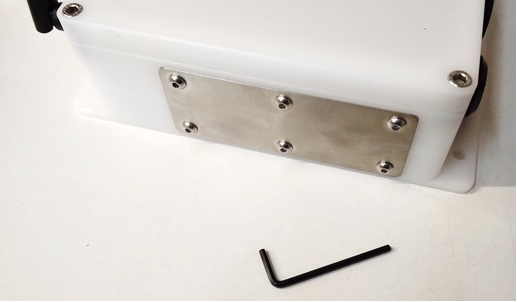
To maintain waterproofing, all ports on the gateway are protected by a stainless-steel cover secured with six screws on the bottom of the enclosure.
To remove the cover:
-
Place the gateway in a dry, indoor location.
-
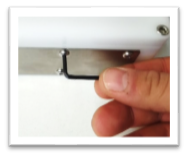
Use a 2.5 mm Allen wrench to remove the six screws.
-
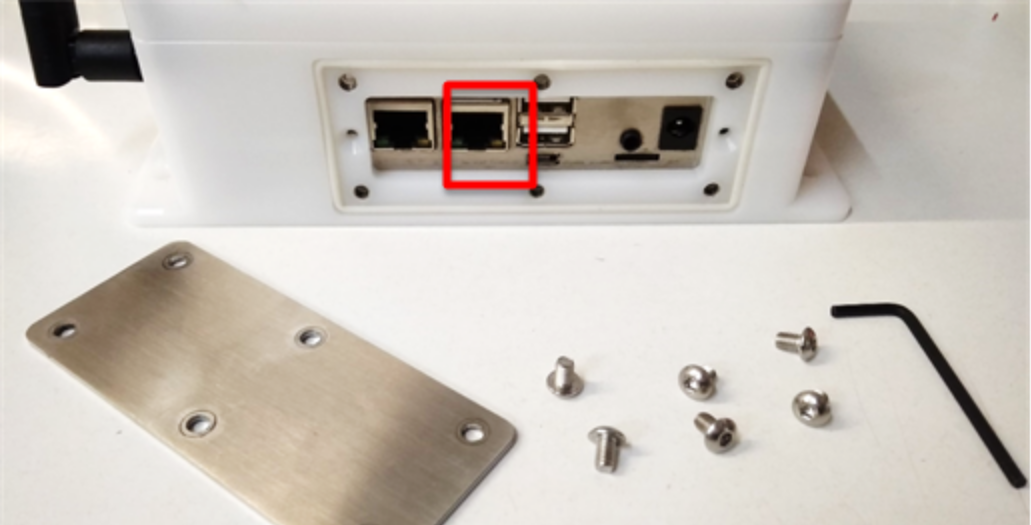
Carefully remove the stainless-steel cover to expose the ports.
Important Note
Once the cover is removed, the gateway enclosure is no longer waterproof. Operate the gateway indoors only while the cover is removed.
Connecting Ethernet
For internet connectivity:
1. Identify the Ethernet port closest to the USB ports.
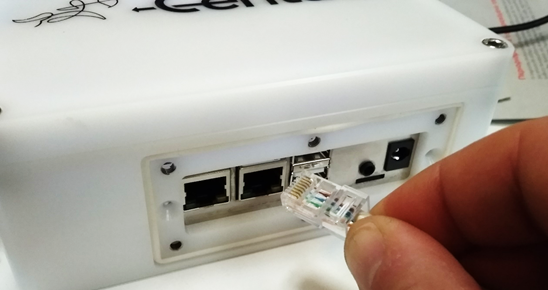
2. Connect an Ethernet cable to this port.
Wi-Fi Connectivity
The gateway may also support connection to a Wi-Fi access point for internet connectivity.
For configuration details and supported scenarios, contact Support@centaur.ag