How to use Rules Aeration Mode
In this article, we’ll go over how to use the Rules Aeration Mode on the Centaur platform.
This mode allows you to define your own custom logic for when aeration fans should turn on or off, based on temperature, humidity, or other measured conditions.
Use this mode when:
- You want to create specific, goal-oriented aeration cycles (for example, short cooling runs or rewetting).
- You need fine-tuned control over when fans operate.
- You want to test or apply specific thresholds instead of relying on automatic recommendations.
Before using Rules Mode
Make sure that:
- Automatic Aeration Mode is turned OFF, to prevent the system’s recommendations from overriding your custom rules.
- Manual Mode is inactive, since direct manual control will interrupt rule-based automation.
How to create and manage aeration rules
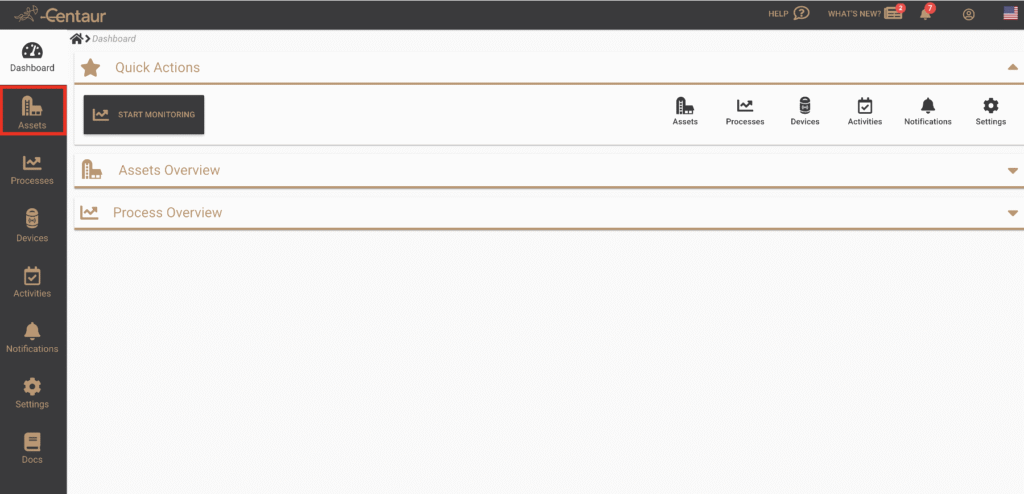
After logging in to your account, navigate to the Assets view from the main menu on the left
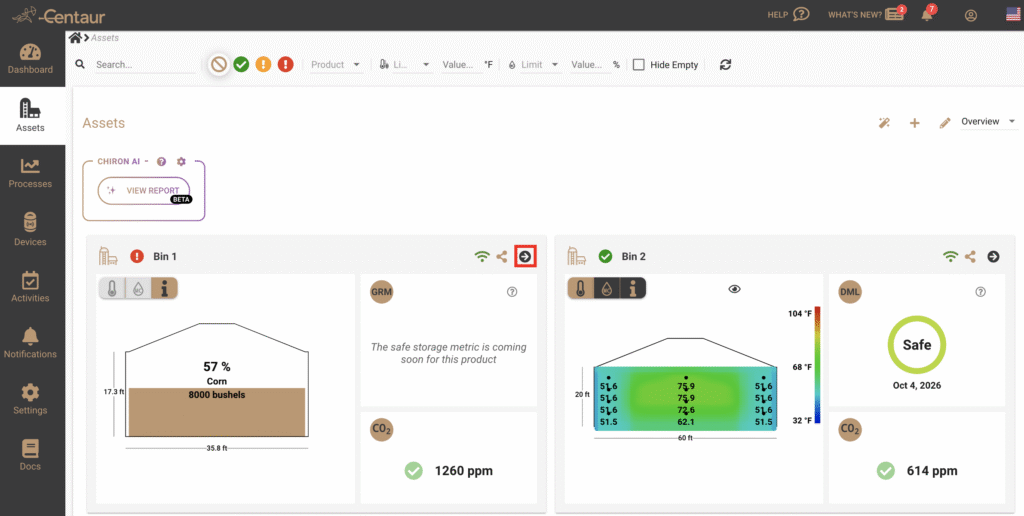
Select the asset (e.g. Bin, Silo, or Warehouse) you wish to review.
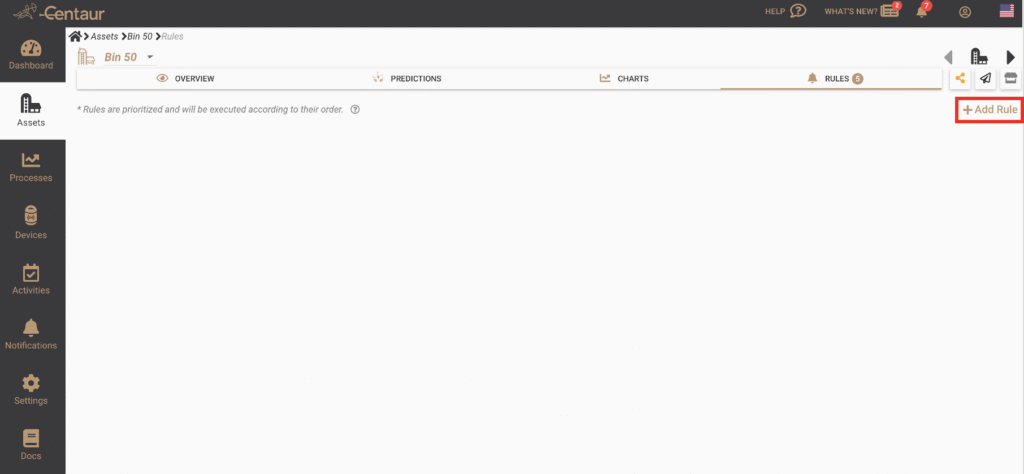
Navigate to the Rules section from the top menu.

Click Add Rule to create a new rule.
Define the activation criteria (for example: temperature below 75 °Fahrenheit or humidity above 60 %).
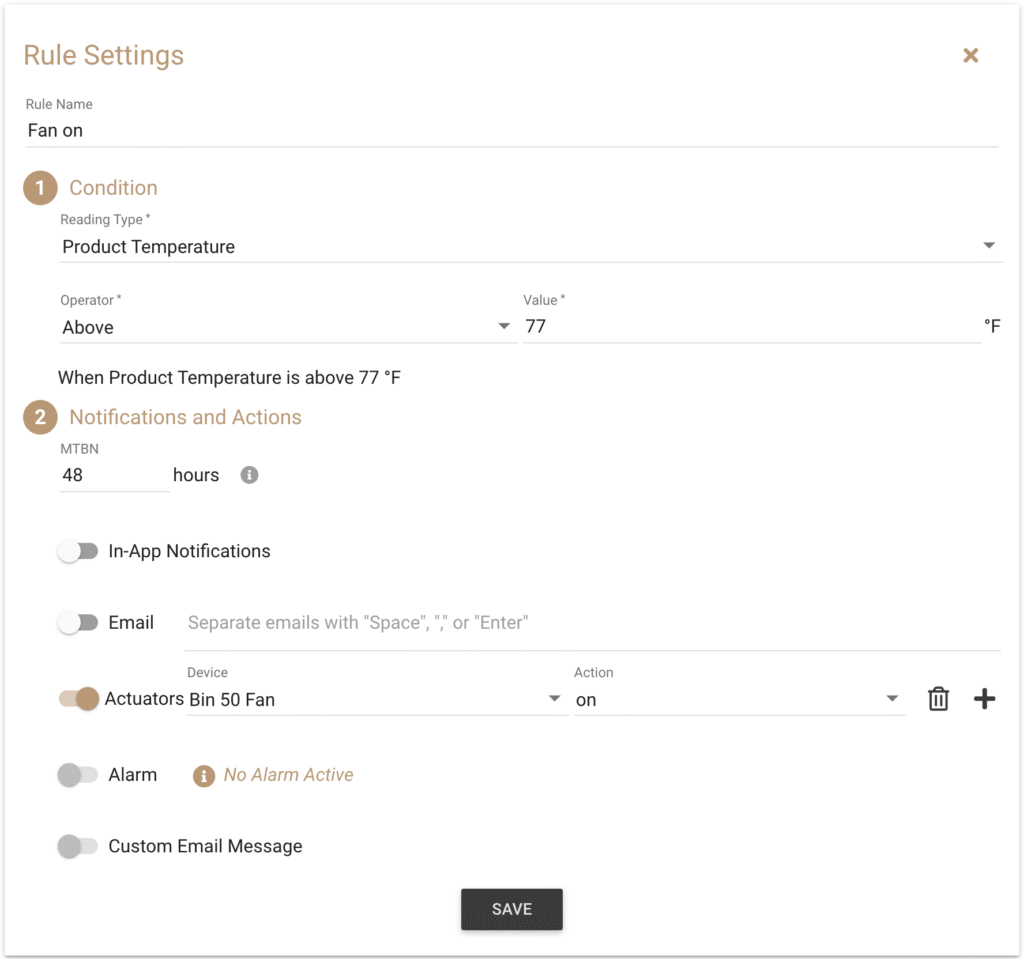
Give a name to your rule
Define the action that should occur when the rule’s conditions are met.
Optionally, set duration or scheduling parameters.
Save your rule and ensure it’s marked as Active.
Once active, the system will automatically start and stop fans according to the logic you’ve defined.
Good to know
- Rules Mode gives you complete flexibility, but it’s important to review logic regularly to ensure it reflects your current aeration objectives.
- If you switch back to Automatic Mode, the platform will disregard any active rules until they are re-enabled.
- Multiple rules can coexist, but avoid overlapping conditions that could cause conflicting fan commands.
For more information about how Rules Mode compares to other aeration modes, refer to our FAQ titled “What’s the difference between Automatic, Rules, and Manual aeration modes?”.
If you still have questions, contact us at support@centaur.ag